Everything the desk does, shown not told
Nine parts of Jollof Desk, each with the real screen from a working demo desk for an internet provider called Savannah Fibre. Click any step to zoom in on it.
Two clocks on every ticket
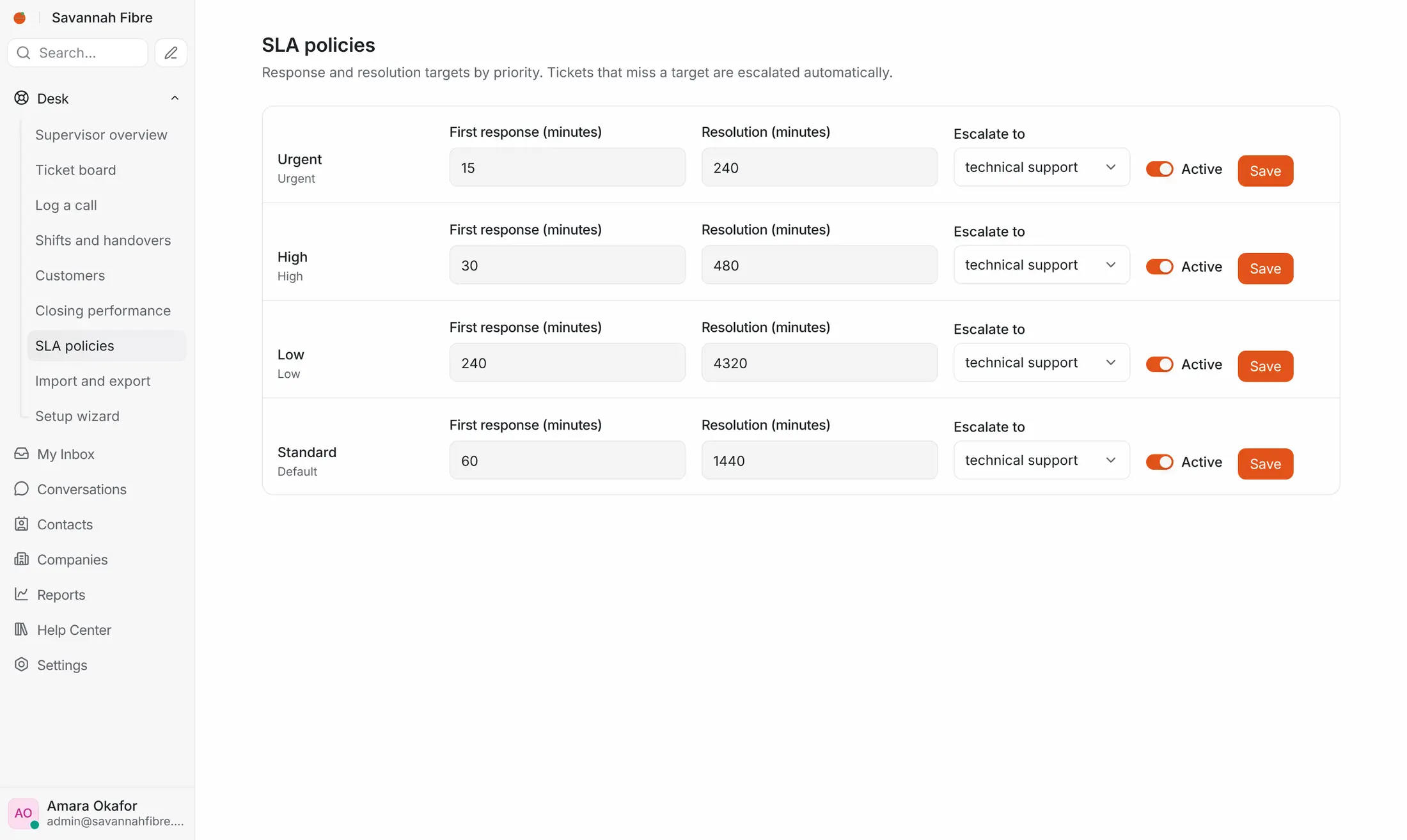
First response and resolution targets for each priority. When a target is missed, the ticket escalates to the department you chose, and the history says why.
Set targets per priority
Urgent, high, standard and low, each with minutes to first response and to resolution.
Minutes, not vague promises
Type the numbers your contracts promise. The demo desk answers urgent faults in 15 minutes.
Choose who gets it next
Each policy names the department that receives the escalation. Turn a policy on or off without deleting it.
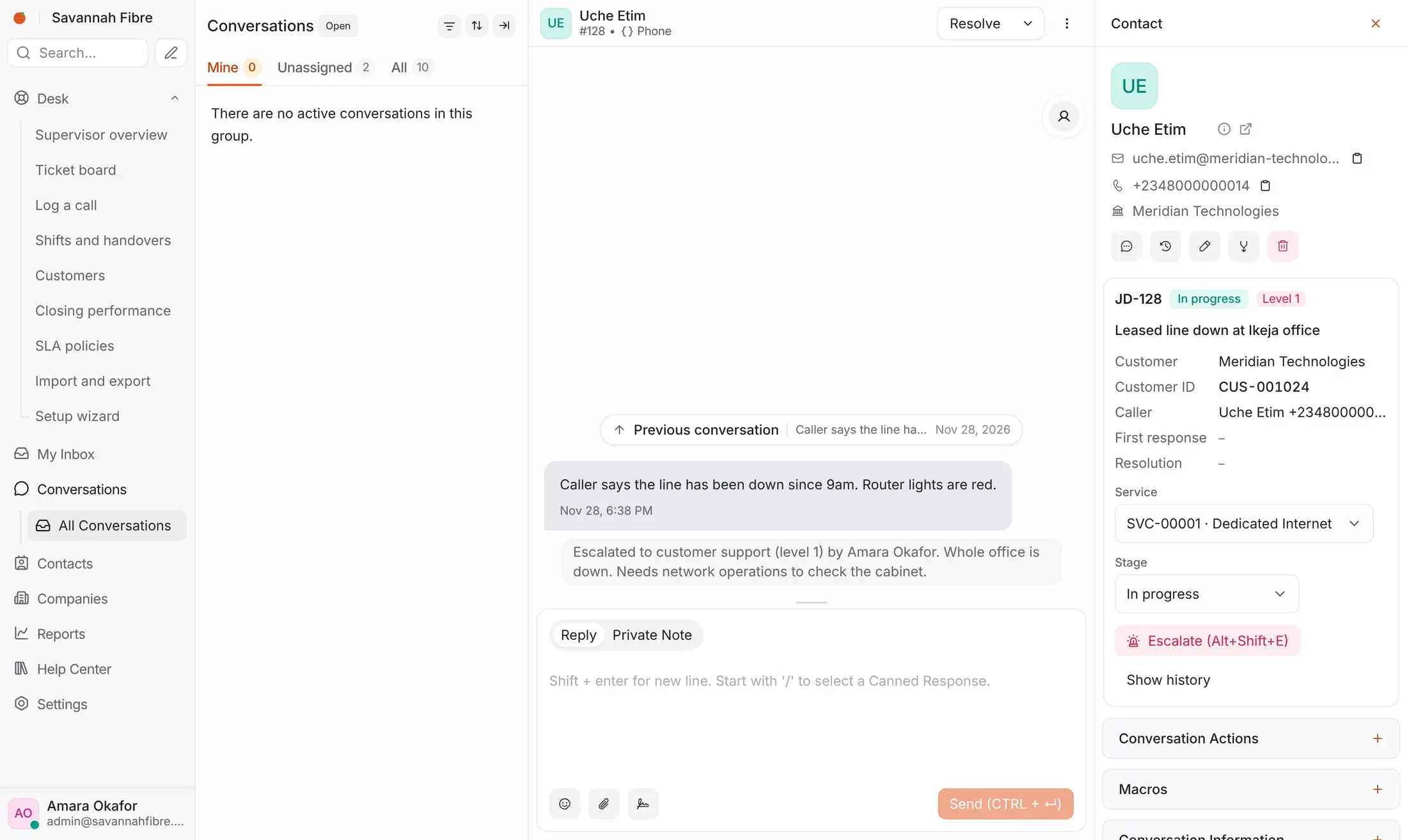
See it on the ticket
The ticket card shows the stage, level, customer ID, service and the escalate button.
Calls count as much as emails
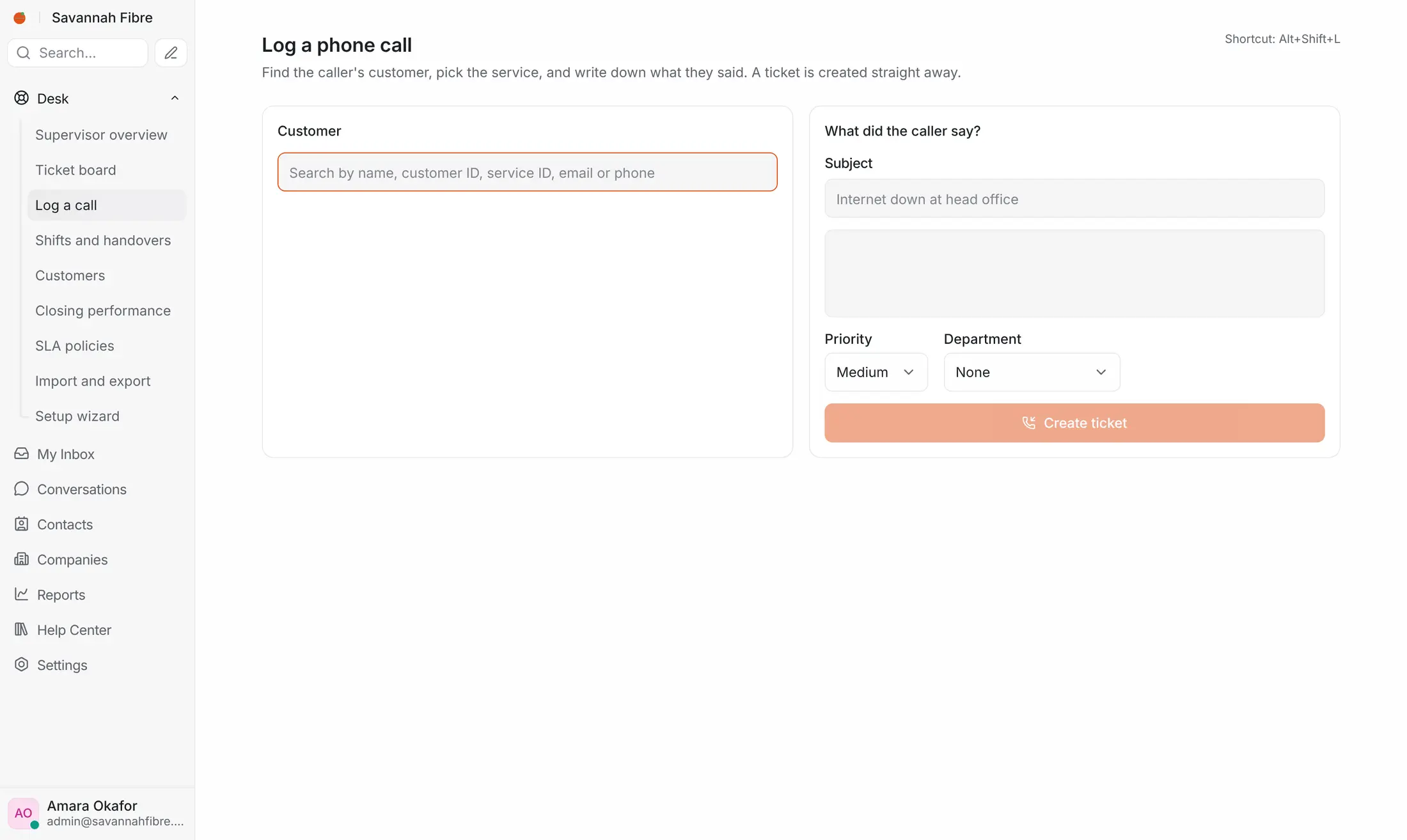
Most help desks forget the phone. Jollof Desk gives it its own screen: find the caller, choose the service, write what they said. The ticket is created with the call recorded as its first message.
- Search by name, customer ID, service ID, email or phone
- Priority and department set before you hang up
- Alt+Shift+L opens it from any screen
Every open ticket, by stage
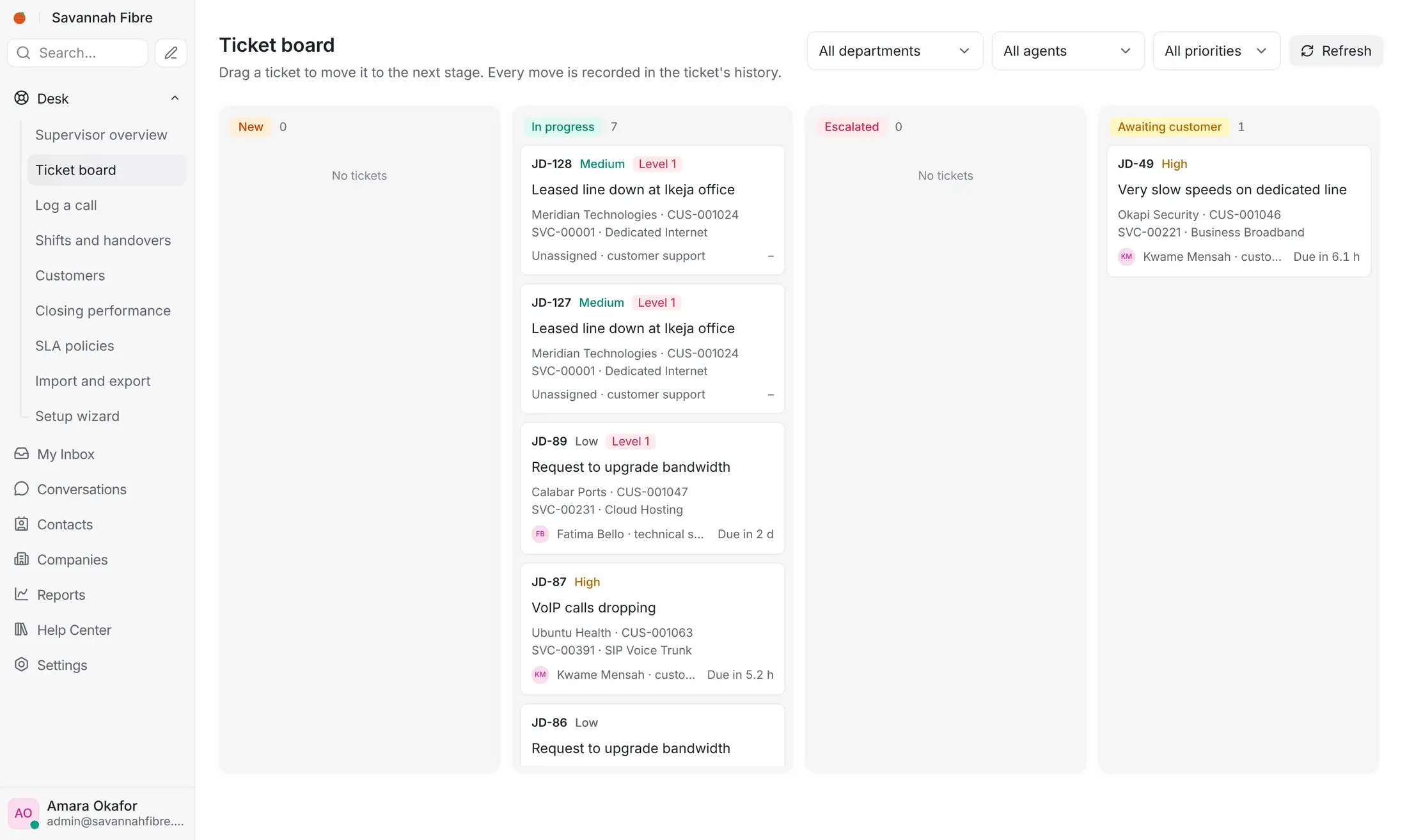
New, in progress, escalated and awaiting the customer or a department. Filter by department, agent and priority. Drag a card to move it; the move is written to the ticket's history.
The whole desk in columns
Each column is a stage with its own count.
Cards that say enough
Priority, level, customer, service, who has it and when it is due.
Filter to your team
A supervisor sees one department; an agent sees their own tickets.
Waiting is a stage too
Tickets waiting on the customer or another department are never mistaken for done.
Handovers someone has to sign for
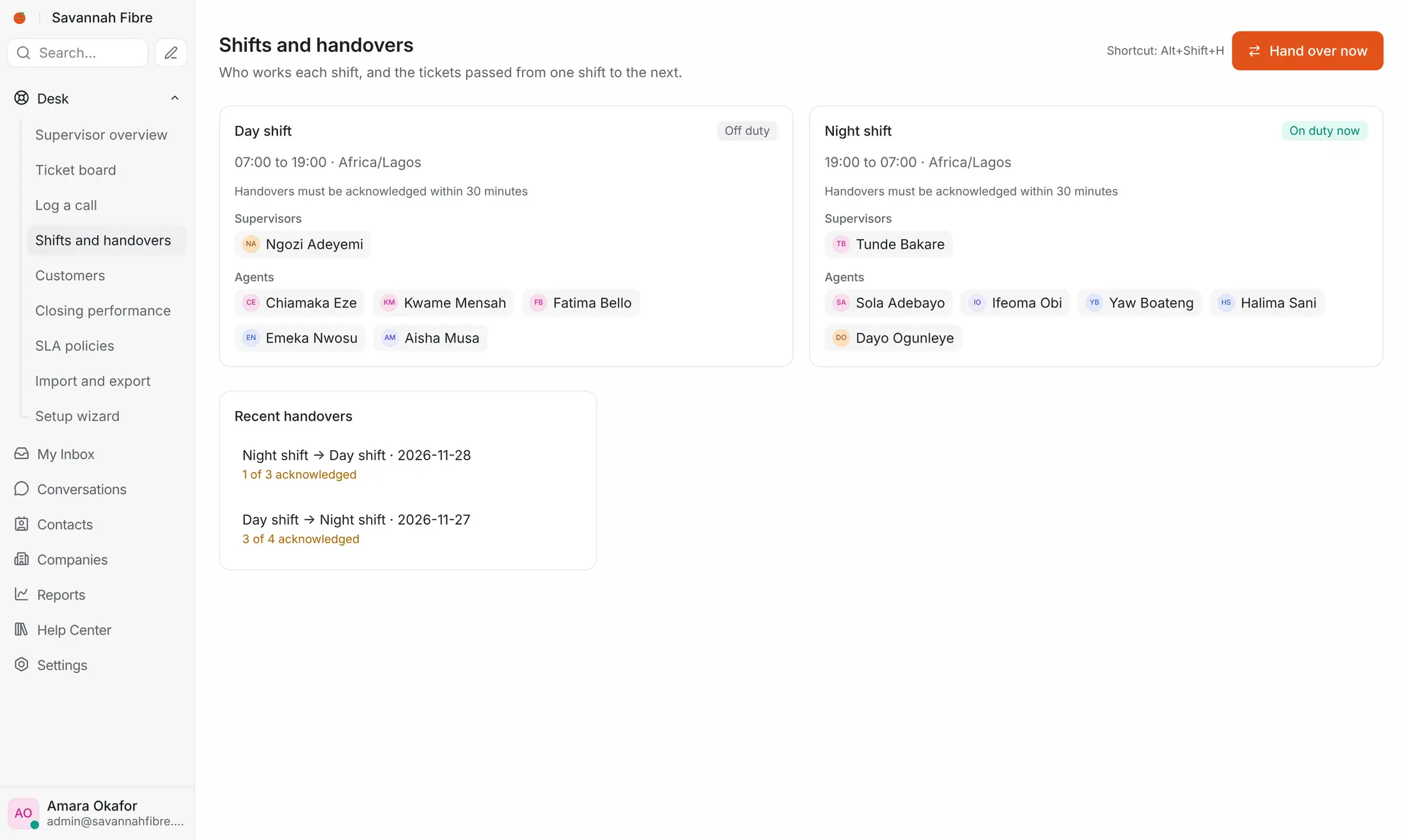
Define each shift's hours, time zone, supervisors and agents. At handover the open tickets pass to the next shift, and its supervisor acknowledges each one within the time you set.
Two shifts, or five
Hours and time zone per shift, with a badge for whoever is on duty now.
Supervisors and agents
Everyone knows who they hand over to, and who signs.
Hand over in one press
Every open ticket goes into the handover with its notes.
Unsigned handovers show in red
The supervisor overview lists every handover still waiting for acknowledgement.
One screen for the person in charge
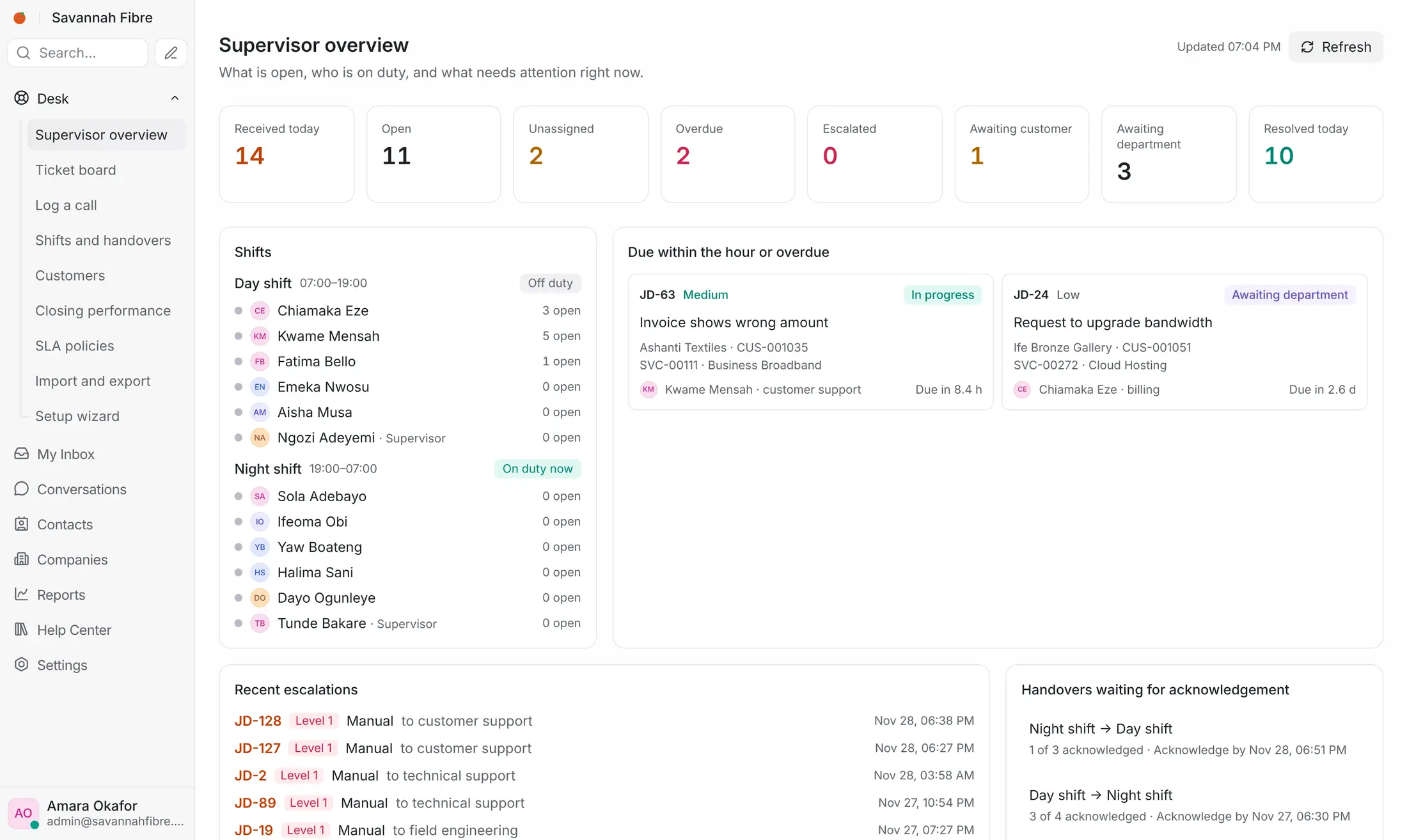
What came in today, what is open, who is on duty, what is due within the hour, what escalated and which handovers are unsigned.
Today in eight numbers
Received, open, unassigned, overdue, escalated, waiting, resolved.
Who is holding what
Both shifts, every person, their open ticket count.
What is about to be late
Tickets due within the hour or already overdue, with who has them.
What escalated, and where
Every recent escalation with its level and the department it went to.
How fast you answer, and who is fastest
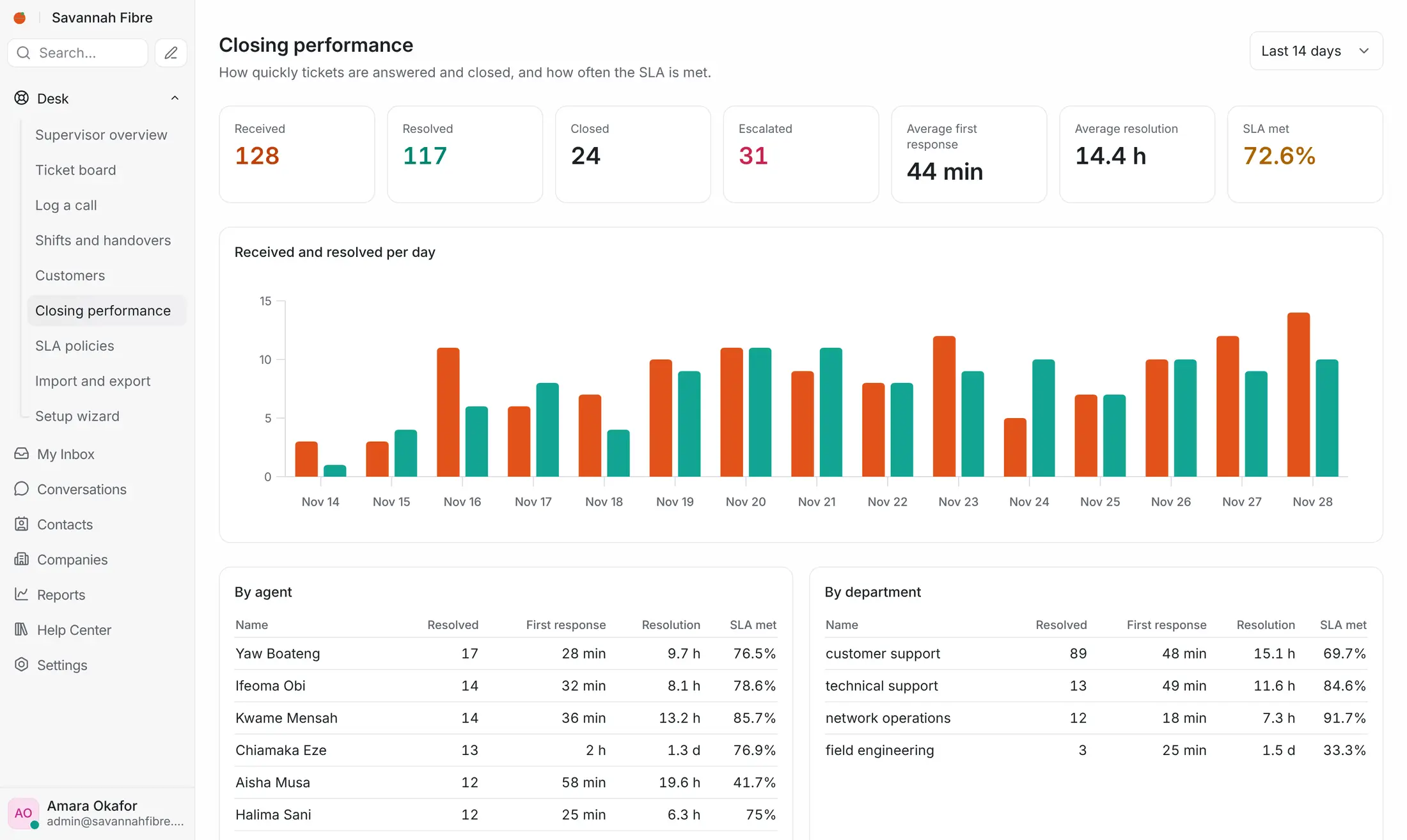
Received, resolved, closed and escalated for any period, average first response and resolution times, and SLA met, by agent and by department.
The headline numbers
Seven figures for the period you choose.
Day by day
See the busy days and whether the team kept up.
By agent
Who resolves most, who answers fastest, who needs help.
By department
Find the team where tickets wait longest.
Customer IDs and service IDs, built in
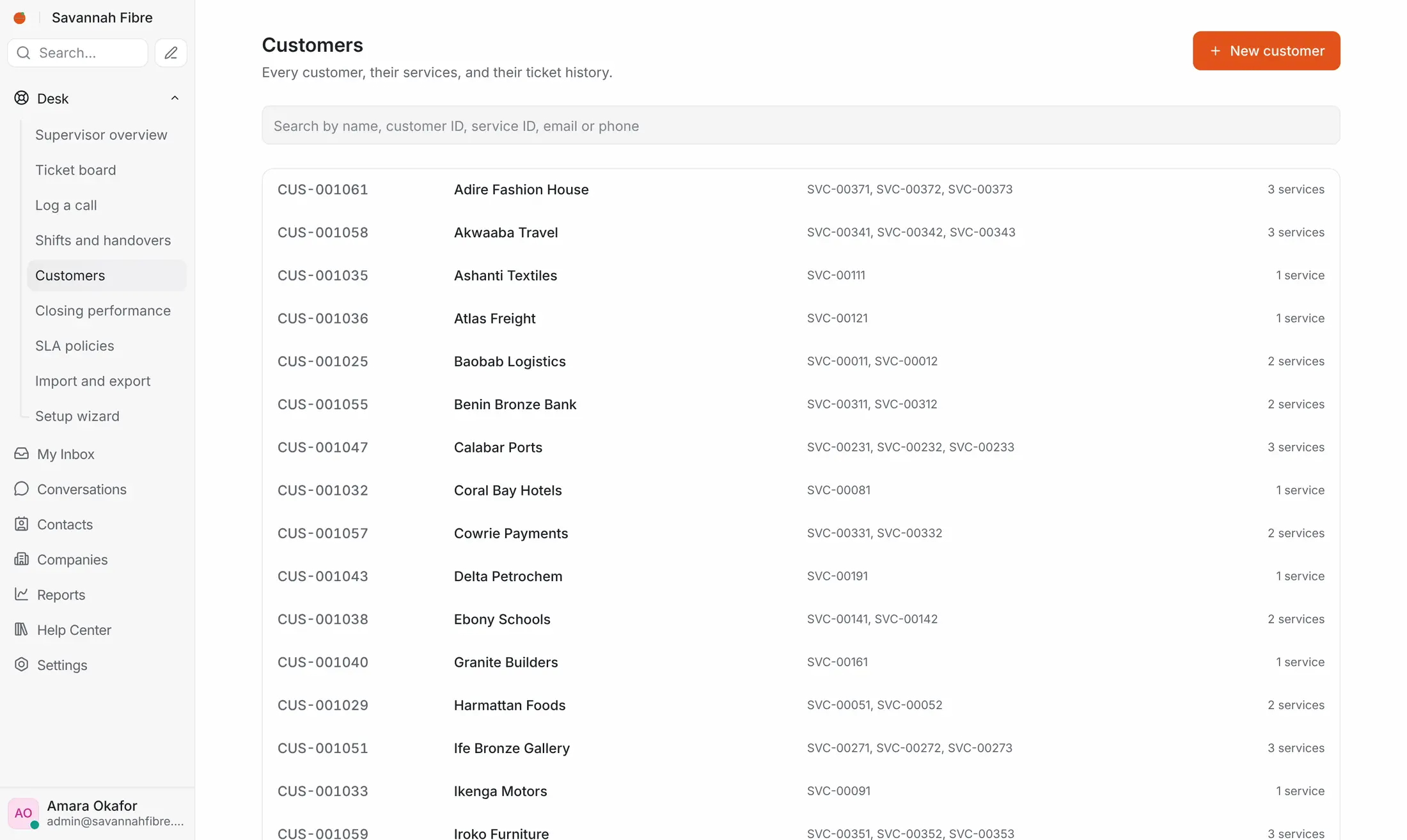
Every company is a customer with its own ID, its services listed underneath, and every ticket it has ever raised. Search any of it from the call screen or the customer list.
- CUS-001024 and SVC-00001 style IDs, or your own
- Several contacts and services per customer
- Full ticket history on one page
Day one in an afternoon. Your data, always yours.
Import customers and services
Upload a CSV or Excel file with one row per service. Check it first, then import.
Export everything
Customers, contacts, services, tickets, messages, escalations and handovers, as JSON or CSV files.
Five-step setup wizard
Your brand, departments, shifts, response targets and reply templates, in that order.
Fast hands, fewer clicks
Agents on the phones all day keep their hands on the keyboard. Try one now: press Alt+Shift+L, E or H on this page.
Want to click around yourself?
We will give you a sign-in to the Savannah Fibre demo desk, or set one up with your own name and shifts.