The modern help desk
that never drops a ticket
Every callemailchatcomplaint gets a ticket and a clock.
Jollof Desk is customer support software for teams whose customers call when something stops working. It ties each report to the customer's account and service, escalates what runs late, and hands the night shift exactly what is still open.
Made for teams whose customers call when something they pay for stops working
Nothing reported is ever lost
Each report is tied to a customer ID and a service ID, gets a priority, and starts two clocks: first response and resolution. Click a step to see it in the real product.
The report becomes a ticket
Calls, emails and chats land in one queue. Each one gets a JD number the customer can quote back.
Tied to the account and the service
Customer ID and service ID sit on every ticket, so the right line, meter or account is fixed.
A clock for every priority
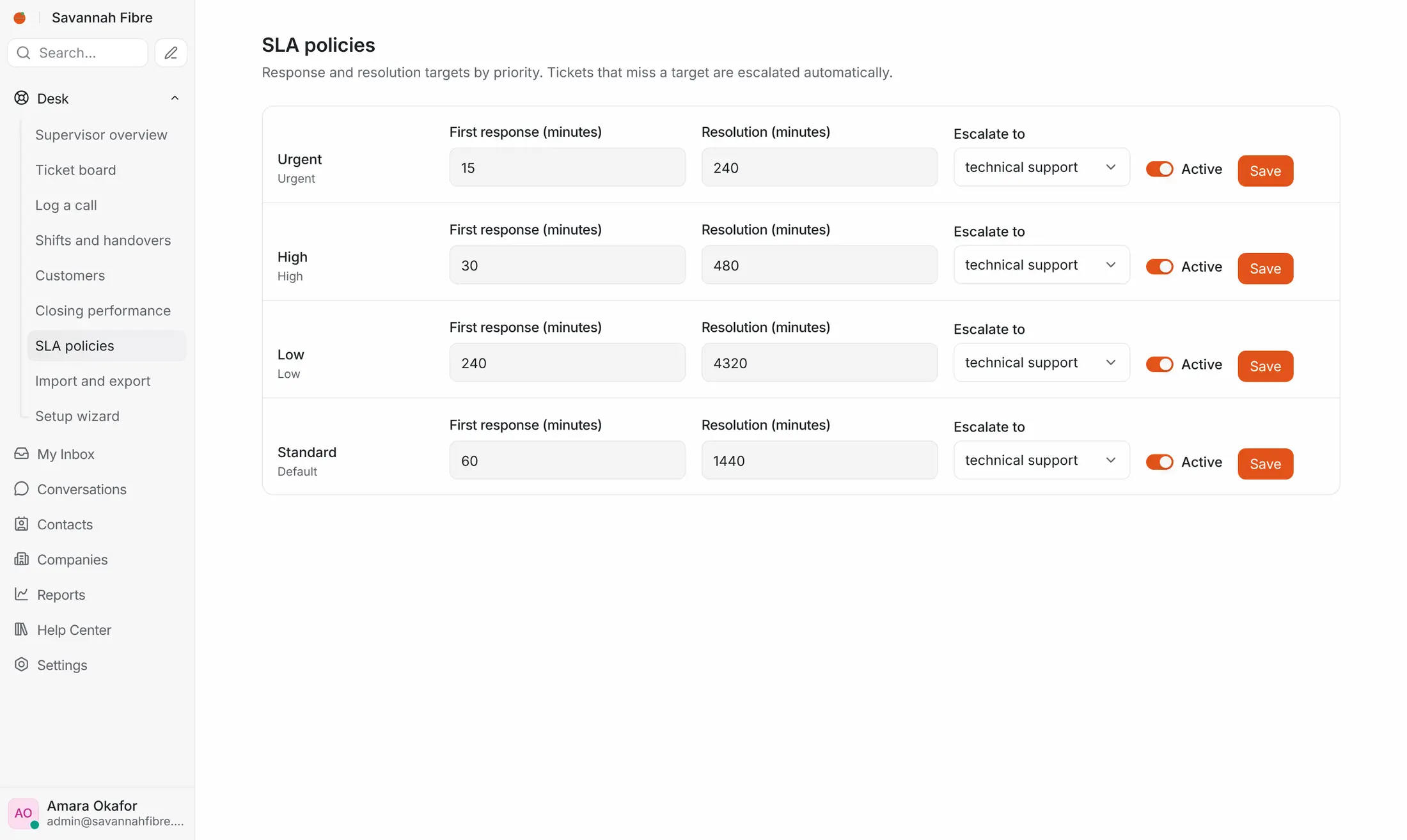
Set response and resolution targets for urgent, high, standard and low. You choose who gets the escalation.
Late tickets climb the ladder
Miss a target and the ticket escalates to the next level and department, with the reason written down.
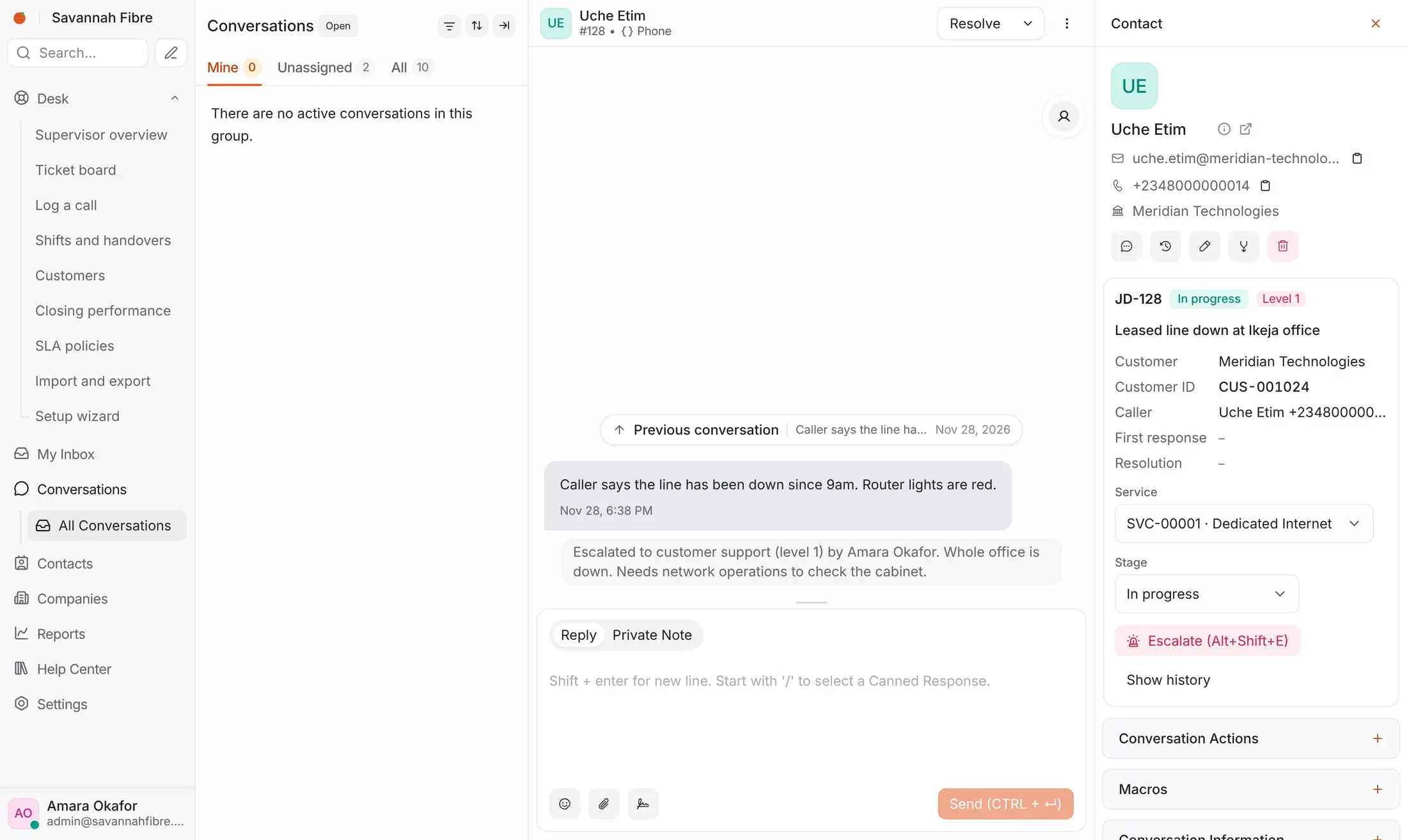
Phone, email, WhatsApp and web chat in one place
Customers reach you the way they always have. Agents answer from one screen, add private notes for colleagues, and every reply stays on the ticket's history.
- Phone calls logged in seconds, with the customer found by name, ID, email or phone
- Email, WhatsApp, website chat, Facebook, Instagram and Telegram
- Private notes and mentions that customers never see
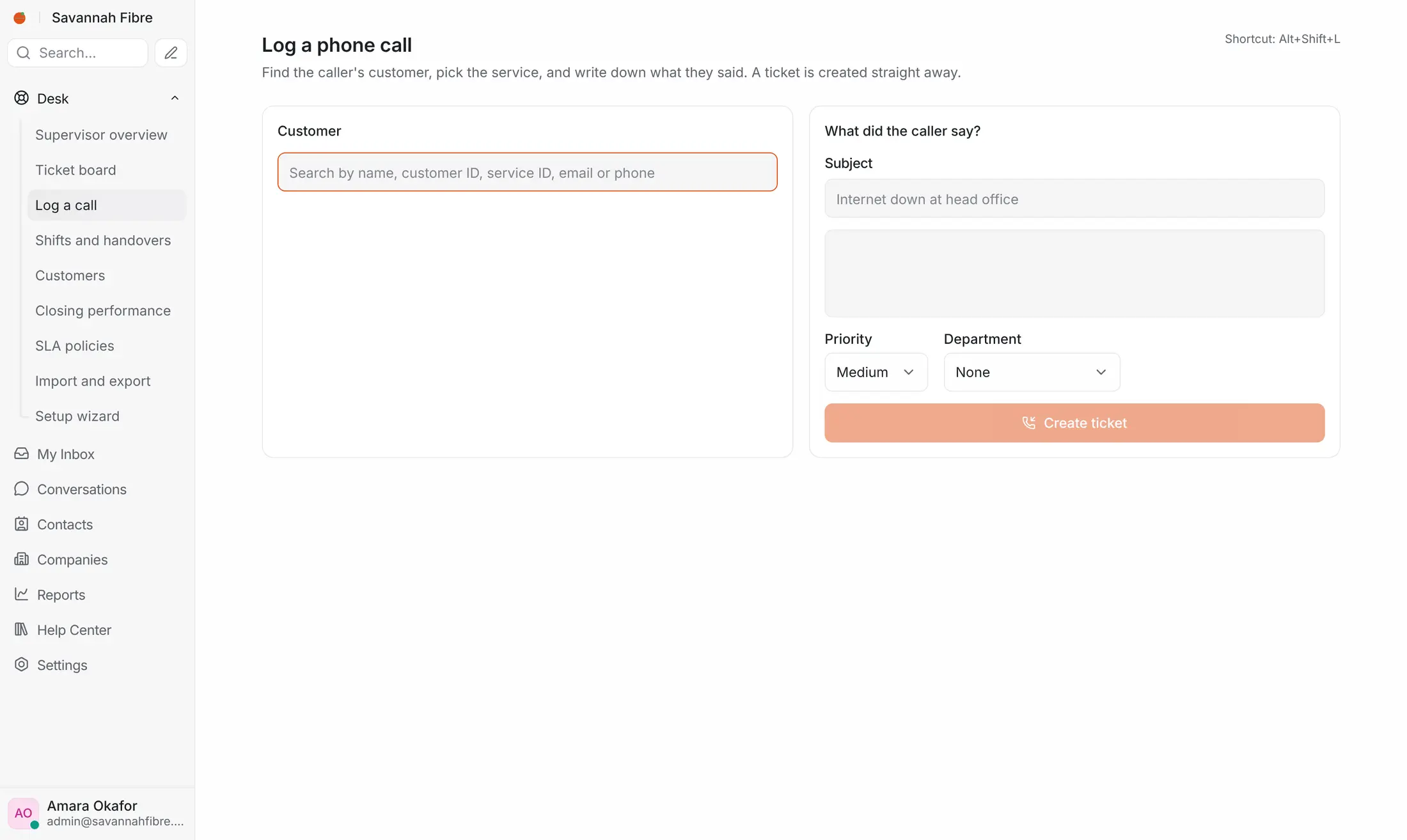
The phone rings. Ten seconds later it is a ticket.
Search the caller by name, customer ID, service ID, email or phone. Pick the service they are calling about, type what they said, and the ticket is created with its clock running. Alt+Shift+L opens it from anywhere.
Open the call screen
One click in the sidebar, or Alt+Shift+L on the keyboard.
Find the caller
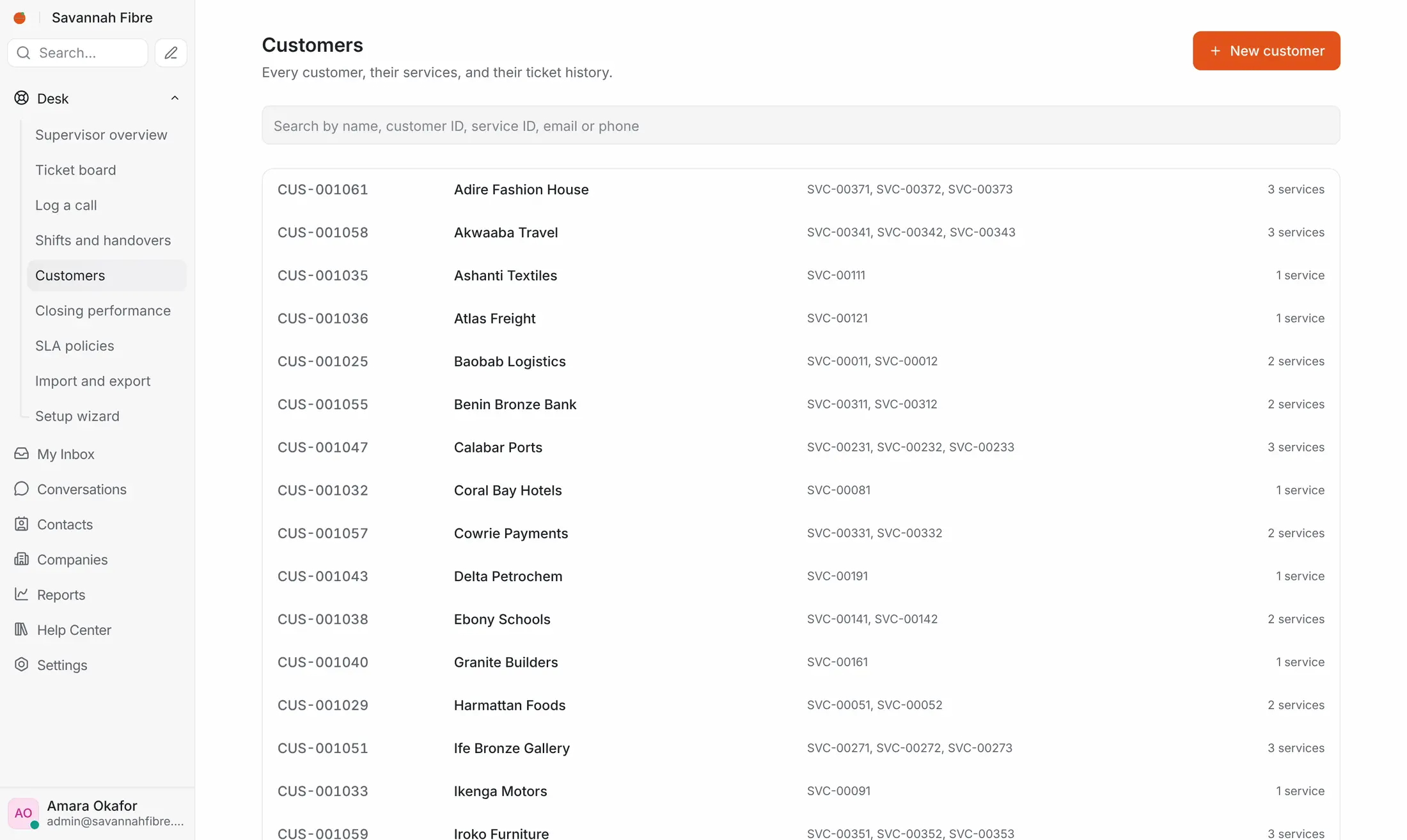
Every customer, with their services listed underneath, ready to pick.
Write what they said
Subject, notes, priority and department. The SLA clock starts the moment you save.
It is on the desk
The ticket shows up in the queue, on the board and on the supervisor overview at once.
At 7pm the day shift goes home. Nothing goes with them.
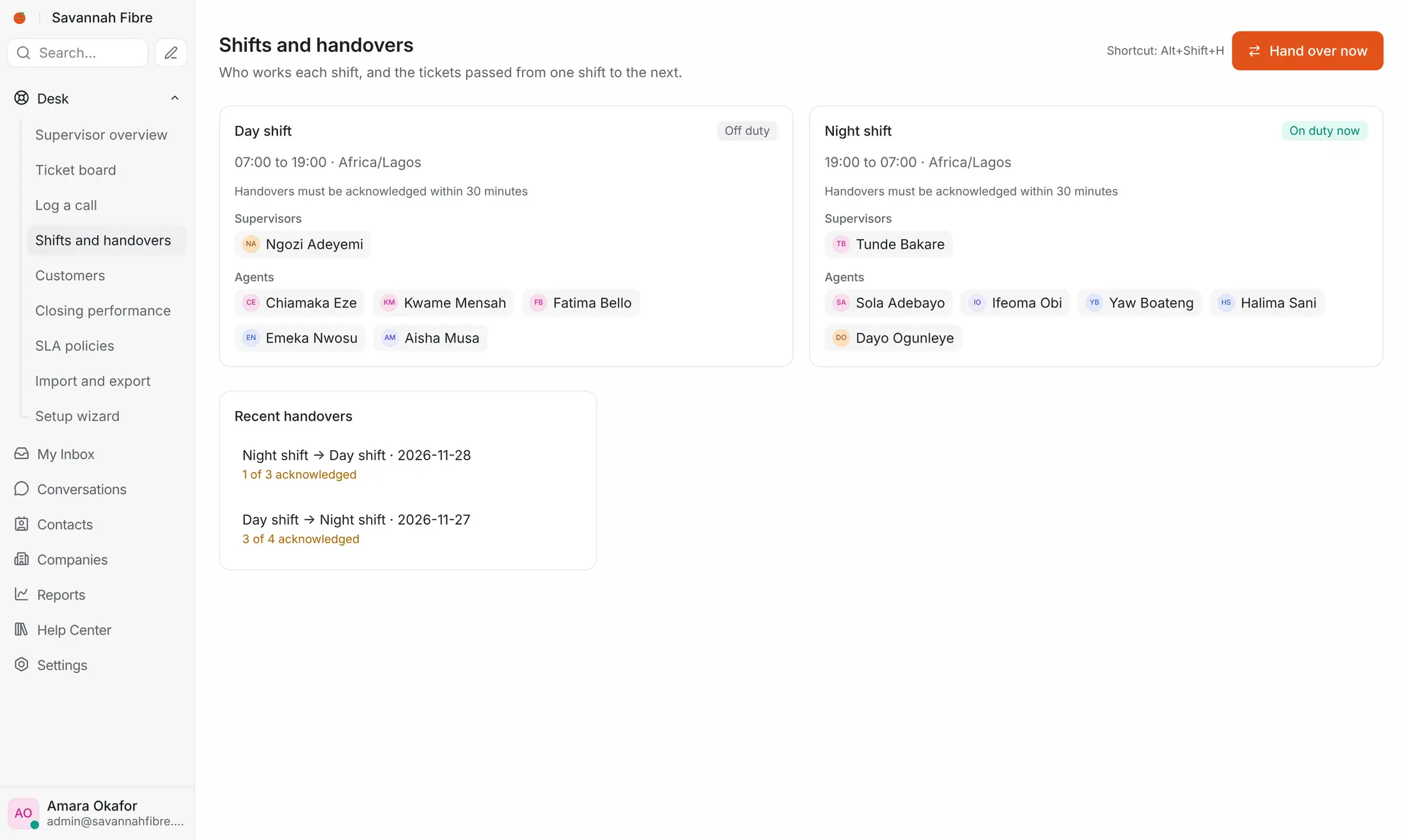
Set your day and night shifts with their supervisors and agents. At handover, every open ticket passes to the next shift, and their supervisor acknowledges it. If nobody signs within 30 minutes, the overview shows it in red.
Press the button, or wait and watch the shift change.
Day shift 0
Night shift 0
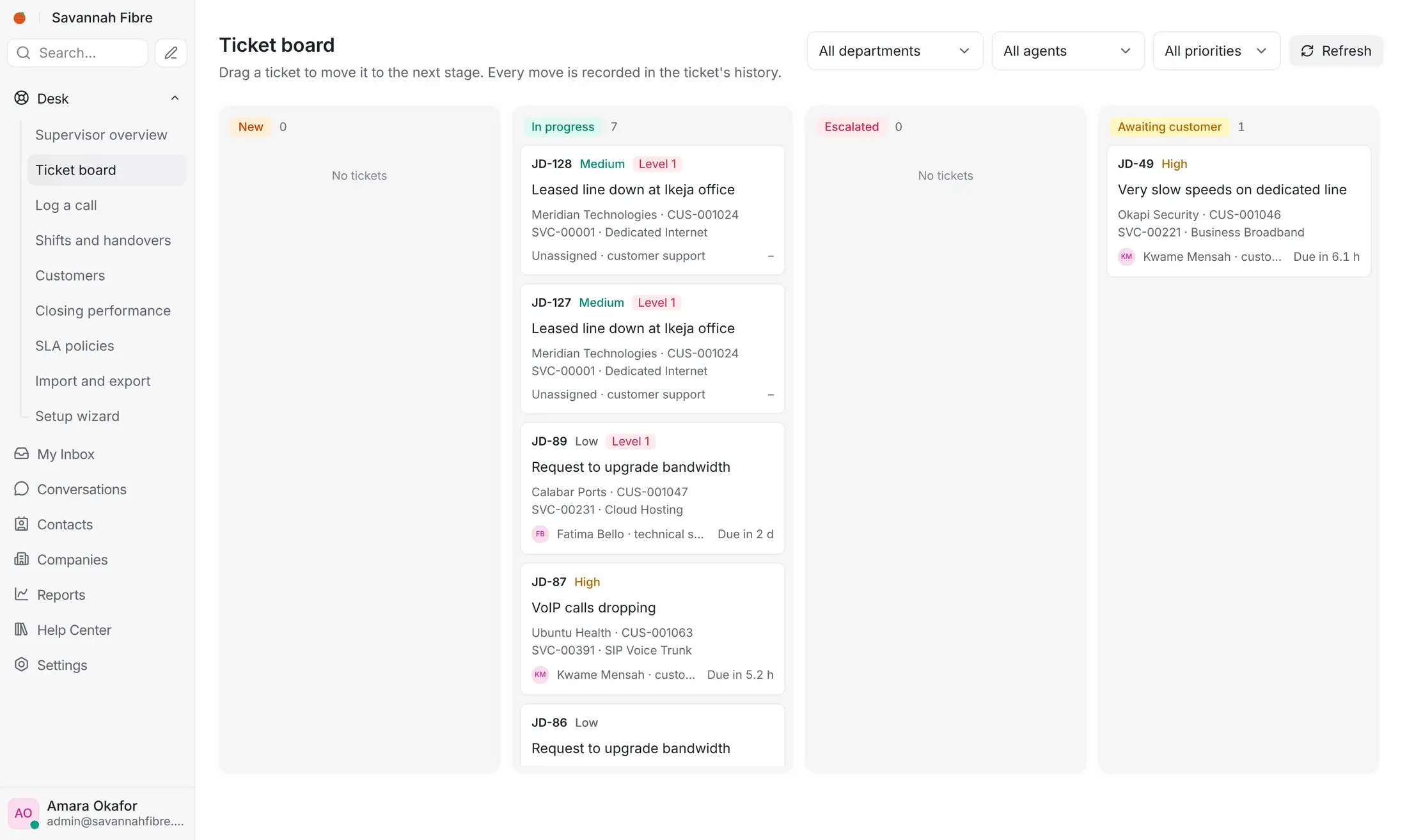
Drag a ticket. History writes itself.
The board shows every open ticket by stage. Move one and the change is saved with who moved it and when. Try it: drag a card to another column.
👉 Swipe sideways to see every stage. Hold a card and drag it to move it.
New 0
In progress 0
Escalated 0
Awaiting customer 0
On a keyboard, focus a card and use the left and right arrow keys.
Know what is late before the customer calls back
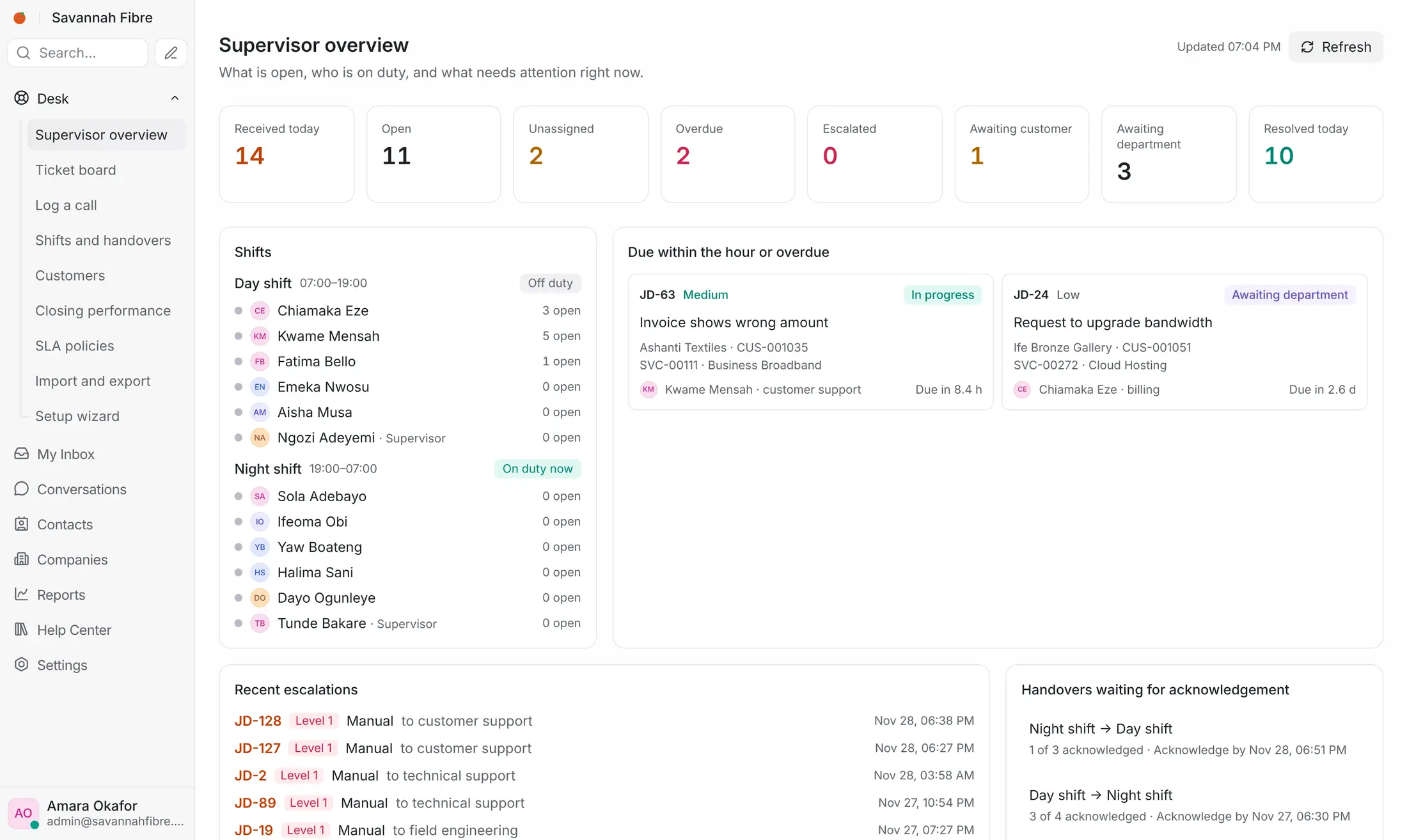
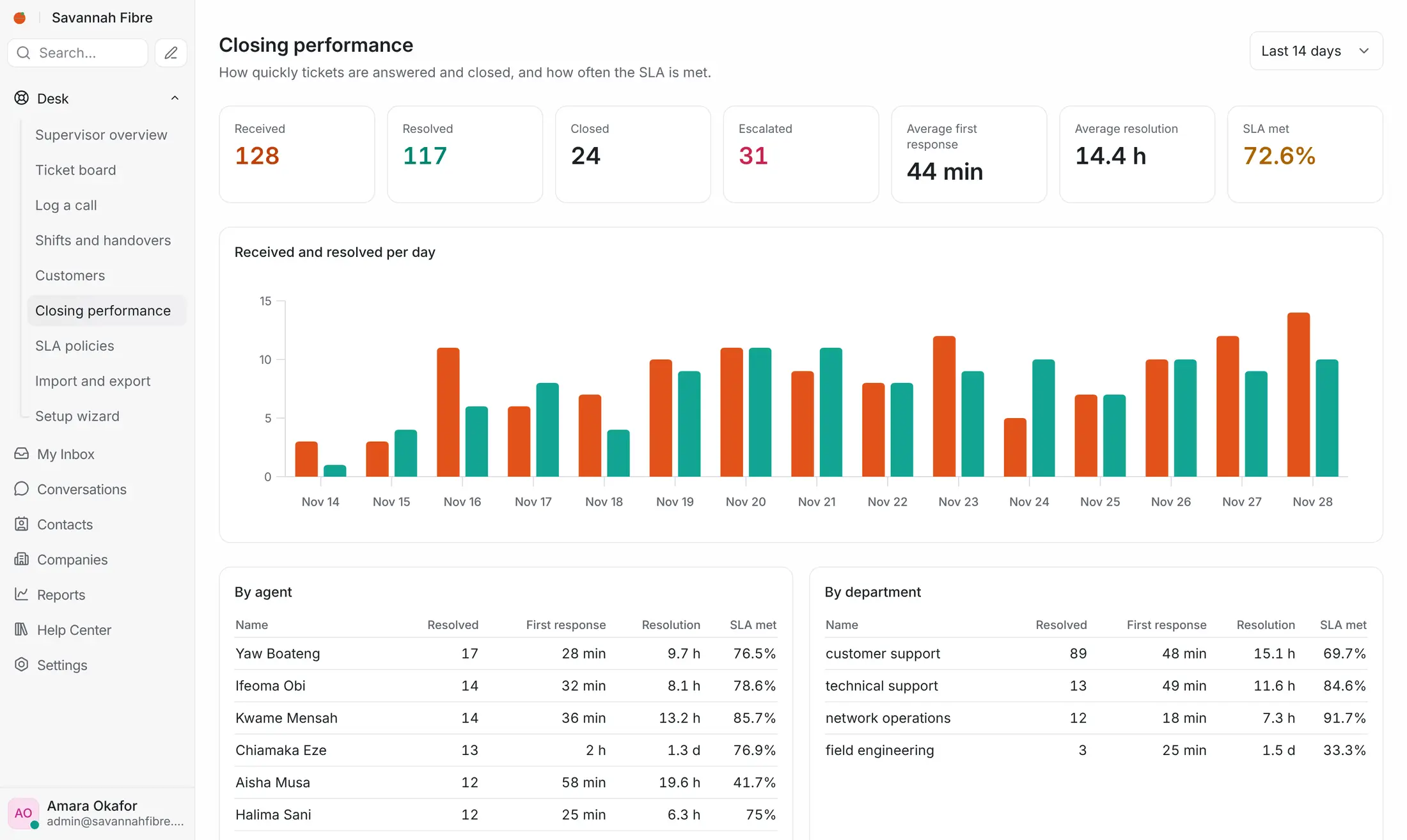
The supervisor overview shows today's numbers, both shifts and every ticket due within the hour. Closing performance shows how fast each agent and department answers and resolves, and how often the SLA is met.
- Received, open, unassigned, overdue and escalated, live
- First response and resolution times by agent and department
- Export any report to a spreadsheet
ReceivedResolvedLast 15 days, demo desk
Shaped around the thing your customers pay for
Faults tied to the exact line
- Every customer has service IDs for each circuit, link or number
- Network operations and field engineering as escalation levels
- Night shift inherits outages with the history attached
Complaints with a regulator's clock
- Account and card numbers as service IDs on the customer
- Response targets set per priority, so disputes are never forgotten
- Every change recorded on the ticket history for audits
Outages by meter and area
- Meters and connections as services on each customer
- Crews as departments, with their own escalation level
- Round-the-clock shifts that sign for open outages
Claims and delays by waybill
- Waybills and contracts as service IDs
- A board with stages your depot already uses
- Import every customer from a spreadsheet on day one
Your name on the door. Your data on your server.
Put your company's name, logo and colours on the desk your agents and customers see. Run it on your own server if you want to, and take every ticket and customer out whenever you like.
See your own desk in 30 minutes
We will set it up with your company's name, your shifts and a few of your real customers, then walk your supervisors through it.